
01Why Do Files Still Exist After Shutdown?
You save a photo, and it's still there when you turn on the computer the next day. This is because the photo isn't just stored in memory, but is saved to hard drives or SSDs, which are long-term storage devices.
Memory
Mainly stores content currently in use
Usually disappears after power off
Hard Drive / SSD
Responsible for long-term storage of files and programs
Data remains after shutdown02Hard Drives Actually Store 0s and 1s
For computers, photos, text, music, and programs all eventually become large amounts of 0s and 1s. So what storage devices really need to do is find a way to store these 0s and 1s for a long time.
10110100 01101001
11001010 00110111
Real files would be much longer
Gets Stored
03How Do Mechanical Hard Drives Store Data?
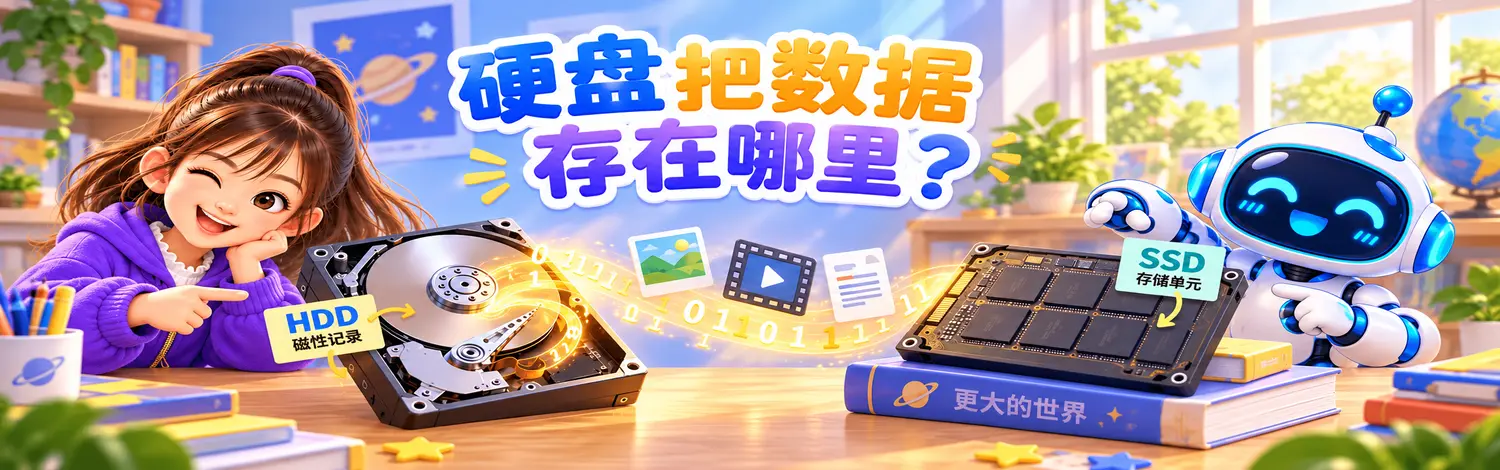
Traditional mechanical hard drives are usually called HDD. Inside, they have rapidly rotating platters and read/write heads responsible for reading and writing data.
Platters
Surfaces can record different magnetic states
Read/Write Heads
Read or write data on the platter surface
Rotation
Platters spin rapidly, allowing heads to find different positions
This is a simplified explanation to help beginners. Real hard drives use very sophisticated encoding, positioning, and error correction technologies.
04How Do SSDs Store Data?
Many computers now use SSDs (Solid State Drives). They don't have rapidly rotating platters like mechanical hard drives, but use flash memory chips to store data.
Flash Memory Chips
Contain many very small storage cells
Different Charge States
Use different states to represent data
0s and 1s
Finally form files and programs
05Why Do Files Take Up Space?
Each file is composed of a large amount of data. The more data there is, the more 0s and 1s need to be stored, and the more storage space is occupied.
A Short Text
Usually has relatively small data amount
A Photo
Contains many pixels and color data
A Video
Contains continuous images and sound, even more data
06What's the Difference Between Storage and Memory?
These two concepts are very easy to confuse, so let's compare them again in a table.
Memory RAM
- Very fast
- Mainly stores data currently in use
- Usually smaller capacity
- Content usually disappears after power off
Hard Drive / SSD
- Mainly responsible for long-term storage
- Usually larger capacity
- Data still exists after shutdown
- Programs and files are stored here long-term
Simple memory aid: Memory is like a workbench, hard drives / SSDs are like warehouses.

What You've Learned
- Hard drives and SSDs are responsible for long-term storage of programs, files, and other data.
- Files in computers eventually become large amounts of 0s and 1s.
- Mechanical hard drives (HDD) use magnetic states to record data and have rotating platters and read/write heads.
- SSDs use flash memory chips and store data through different charge states.
- The more data a file contains, the more storage space it usually occupies.
- Memory is responsible for "what's currently being used," while hard drives and SSDs are responsible for "long-term storage."
Next Question: CPU, memory, hard drive, and graphics card all need to exchange data with each other, so who connects these components? Next article: Why Is the Motherboard Like a Traffic City?