

01A Computer Isn't Just One "Big Box"
From the outside, a desktop computer case looks like just a black or white box. But if you open the side panel, you'll find many different components inside.
They aren't just randomly placed together, but each component is responsible for an important job, working together to allow the computer to run programs, display images, and save files.
02Meet the Main Members Inside a Computer
Don't worry about complex parameters for now, we just need to know the most important job of each component.
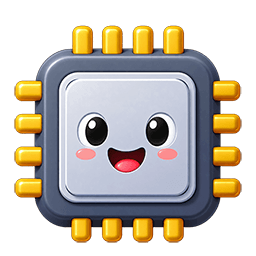
CPU: Executes Instructions
The CPU continuously reads and executes instructions in programs, making it one of the most important processing components in a computer.
You can think of it as the "core worker responsible for executing tasks."Memory: Stores Currently Used Content
Programs that are running and data being processed are usually placed in memory first.
Like a fast but space-limited workbench.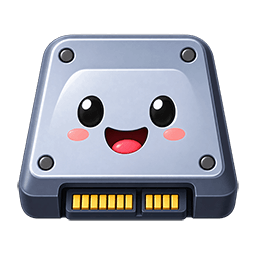
Hard Drive / SSD: Long-term Storage
Programs, photos, videos, and documents that need to remain after shutdown must be stored on storage devices.
More like a warehouse that can store things long-term.Motherboard: Connects Everyone Together
CPU, memory, graphics card, storage devices, etc., are all connected through slots and circuits on the motherboard.
Like a traffic city, providing roads and connection points.Graphics Card / GPU: Good at Processing Images
It's particularly good at many graphics-related calculations, helping computers generate game, image, and video graphics.
Some computers use dedicated graphics cards, while some GPUs are integrated in other chips.Power Supply: Provides Electricity to Components
All electronic components inside a computer need electricity. Desktop power supplies convert external electricity and deliver it to various components.
Without stable power supply, even the most powerful CPU cannot work.Heatsinks and Fans: Remove Heat
CPU and graphics card generate heat when working. Heatsinks and fans help transfer this heat away.
When temperature is too high, computers might slow down or even shut down protectively.03Who Connects These Parts Together?
If CPU, memory, and hard drive each work independently but cannot exchange data with each other, the computer still cannot complete full tasks. That's why we need the Motherboard.
The connection methods in real computers are much more complex than this analogy, but this model is perfect for helping us establish an overall understanding first.
04How Does Data Move Inside During One Task?
Suppose you double-click to open a photo saved on an SSD. Several major components inside the computer will work together like a relay race.
Find Photo in Storage
The photo is originally saved long-term in the SSD.
Put Needed Data in Memory
Program and photo data are prepared for the processor to use.
CPU Executes Program
Processes data according to photo viewer program instructions.

Display Results
Finally you see the photo on the screen.
In real computers, data might go through more components, and the graphics card might also participate in image processing. For now, use this path to understand the most important relationship: storage → memory → processing → output.
05What's Inside the Computer and What's Outside?
We often talk about "computer hardware," which includes both components inside the case and devices connected to the outside of the computer. External devices are usually called peripherals.
Inside Computer
- CPU
- Memory
- SSD / Hard Drive
- Motherboard
- Graphics Card
- Power Supply & Cooling
Common Peripherals
- Keyboard
- Mouse
- Display
- Microphone
- Camera
- Printer

What You've Learned
- There are many different components inside a computer case, each responsible for different tasks.
- CPU executes instructions, memory stores currently used programs and data, and SSD / hard drives handle long-term storage.
- The motherboard connects main components, allowing them to exchange data.
- Graphics cards are good at graphics calculations, power supplies provide electricity, and cooling systems help control temperature.
- One task often requires multiple components to work together, not just a single component completing it alone.
- Keyboards, mice, displays, and other peripherals are also part of computer hardware.
Next Question: We've learned about the main components inside a computer. Next, let's look at one of the most important processing components: How does the CPU work step by step? Next article: How Does a CPU Work?